ExtremaSpectrum 1.0.0
dotnet add package ExtremaSpectrum --version 1.0.0
NuGet\Install-Package ExtremaSpectrum -Version 1.0.0
<PackageReference Include="ExtremaSpectrum" Version="1.0.0" />
<PackageVersion Include="ExtremaSpectrum" Version="1.0.0" />
<PackageReference Include="ExtremaSpectrum" />
paket add ExtremaSpectrum --version 1.0.0
#r "nuget: ExtremaSpectrum, 1.0.0"
#:package ExtremaSpectrum@1.0.0
#addin nuget:?package=ExtremaSpectrum&version=1.0.0
#tool nuget:?package=ExtremaSpectrum&version=1.0.0
ExtremaSpectrum
ExtremaSpectrum is a .NET library for audio signal analysis based on an extrema-driven oscillation decomposition algorithm.
This is not an FFT spectrum. The output describes detected local oscillations by frequency, not orthogonal sinusoidal components. See Algorithm.
Repository: github.com/DimonSmart/ExtremaSpectrum
Visual overview
Visual frequency inspection for sound.
ExtremaSpectrum decomposes a waveform into local oscillations, making dominant frequency bands and each reduction pass easy to inspect.
Try the demo with a low-frequency focused view:
dotnet run --project src\ExtremaSpectrum.Demo -- --min-frequency 0 --input ".\data\demo-low-010hz-plus-high-160hz.wav" --bins 180 --to-bin 20
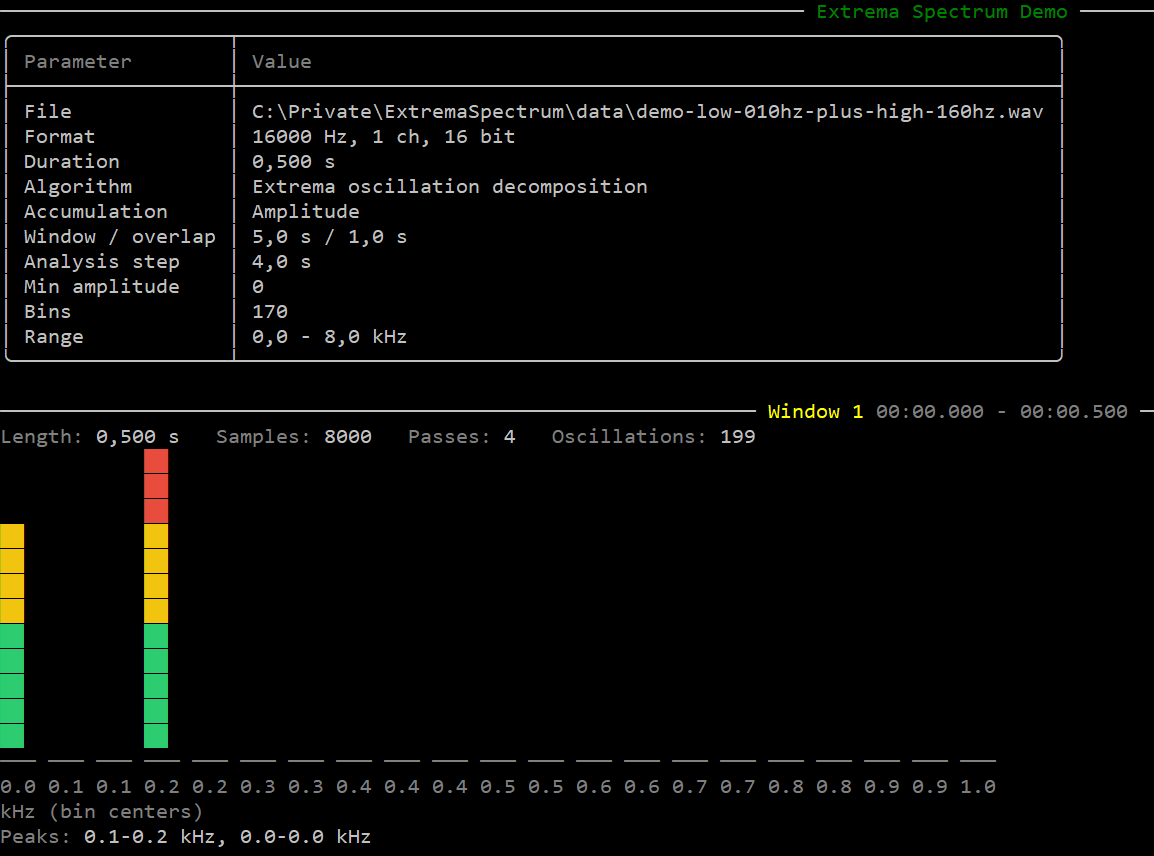
AnalyzeDetailed(...) returns an ExtremaAnalysisReport with per-pass spectra, accepted oscillations, support ranges, and waveform snapshots.
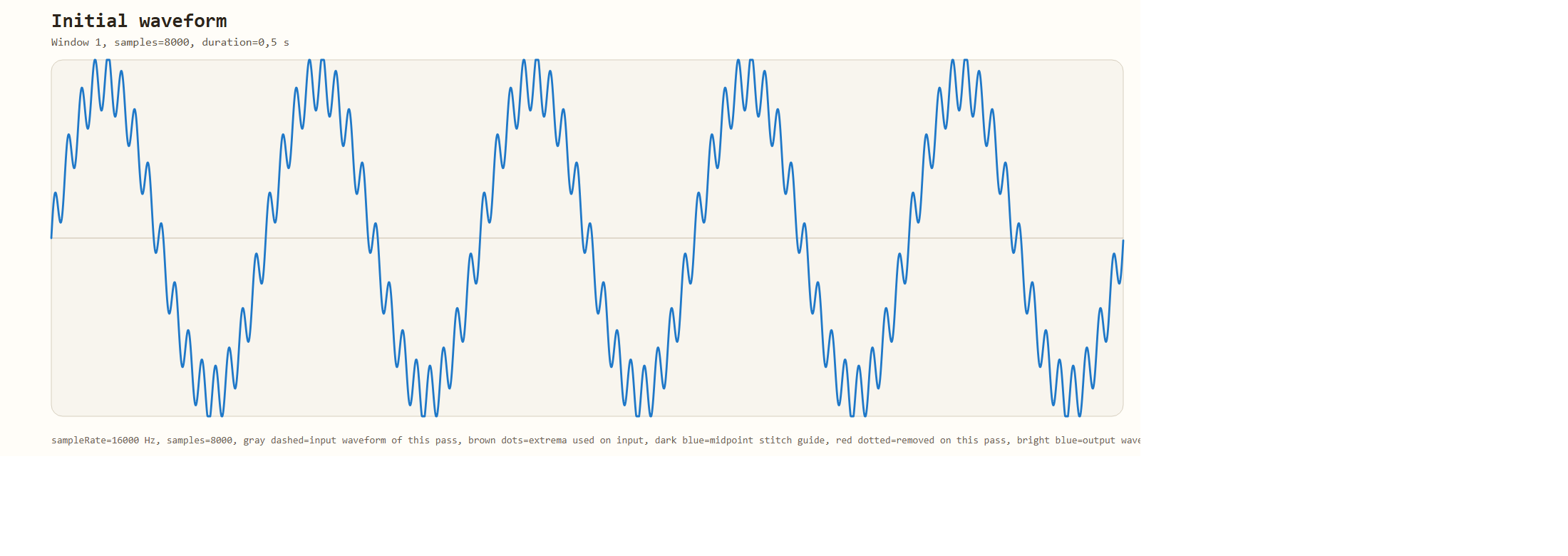
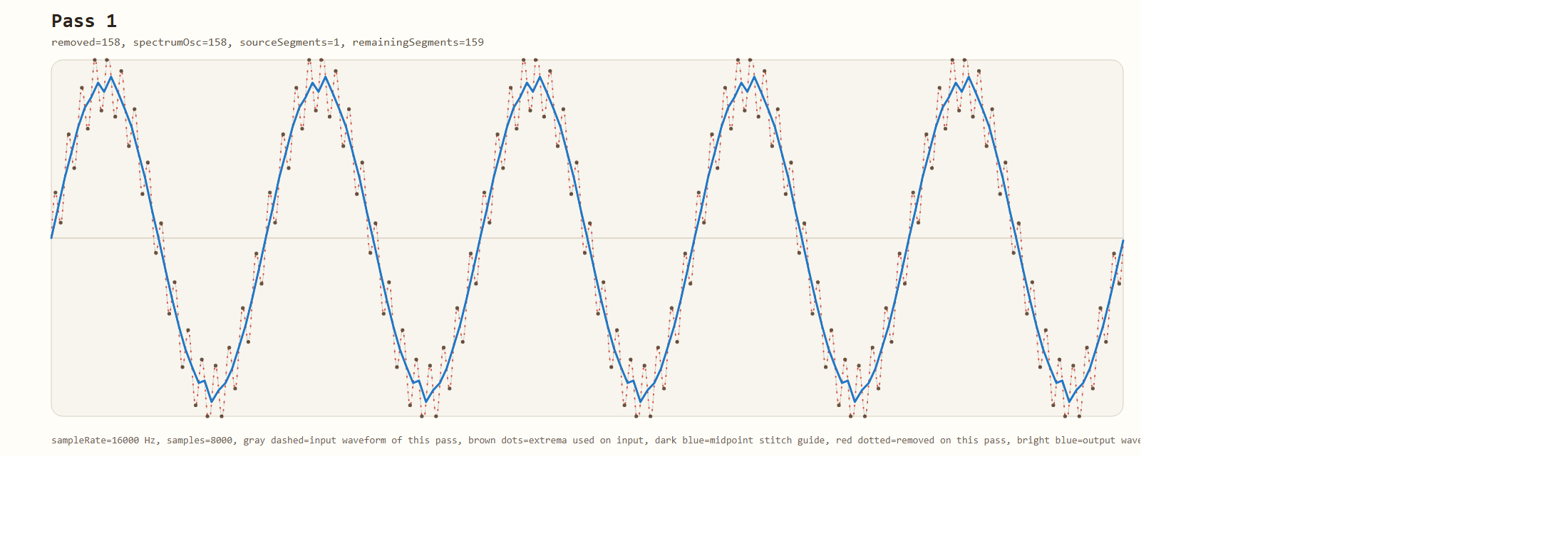
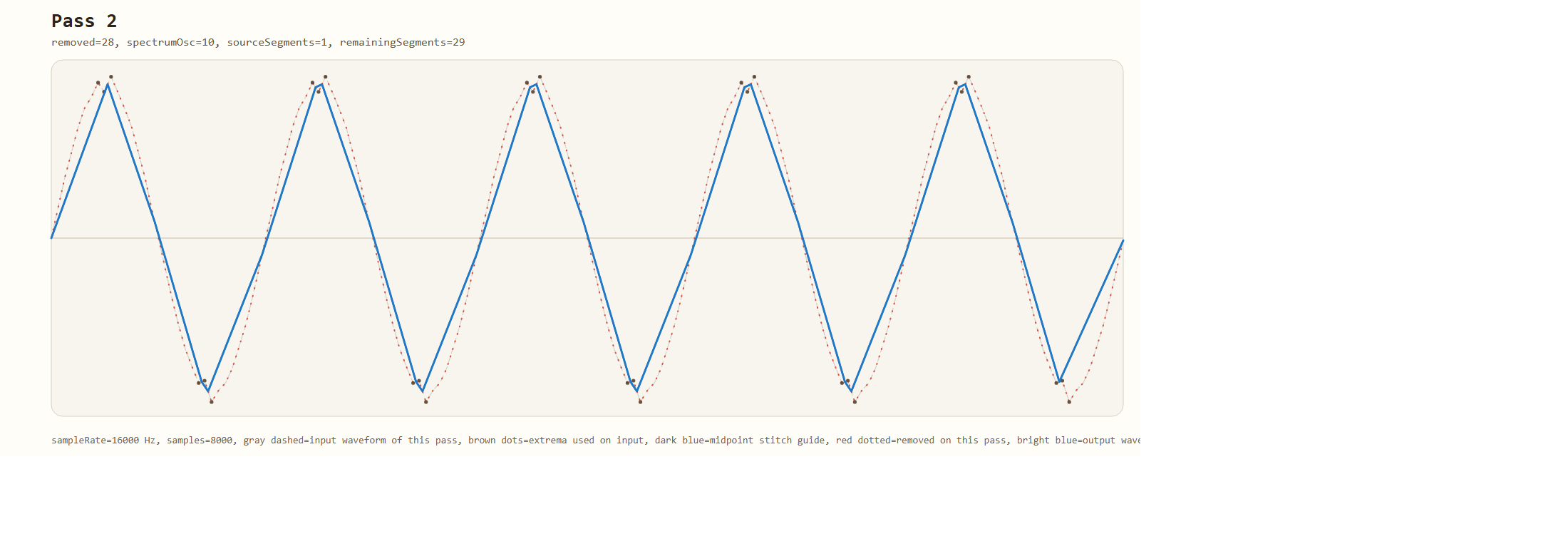
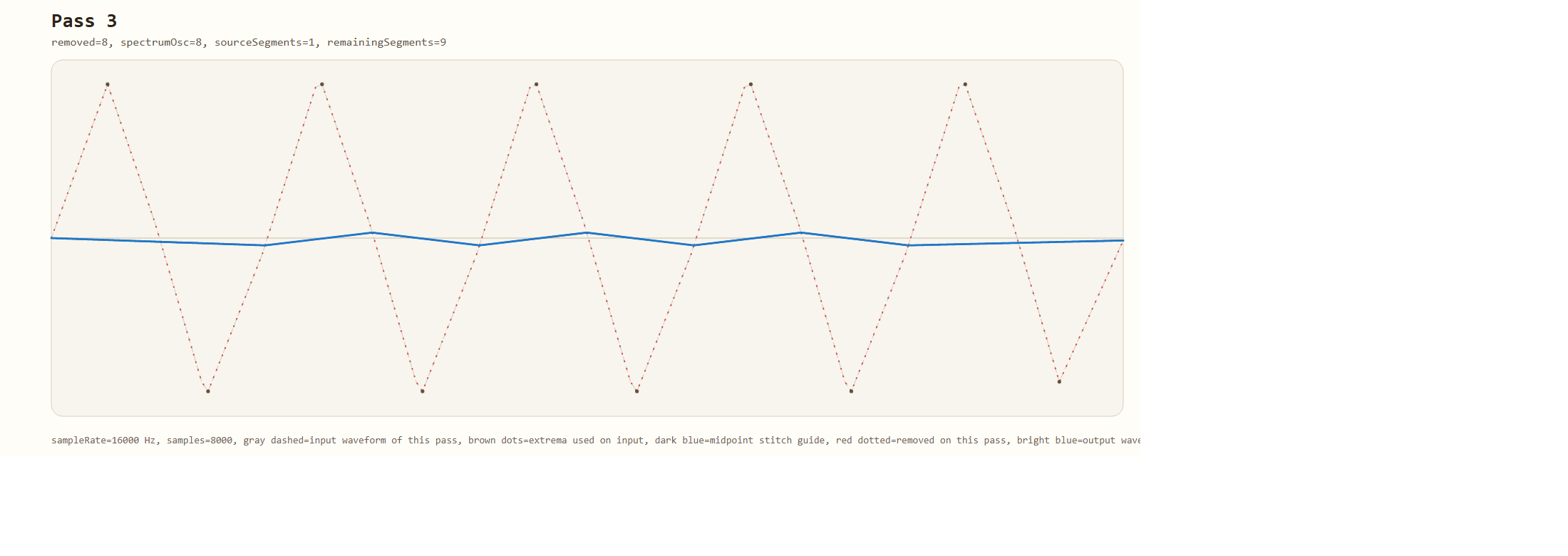
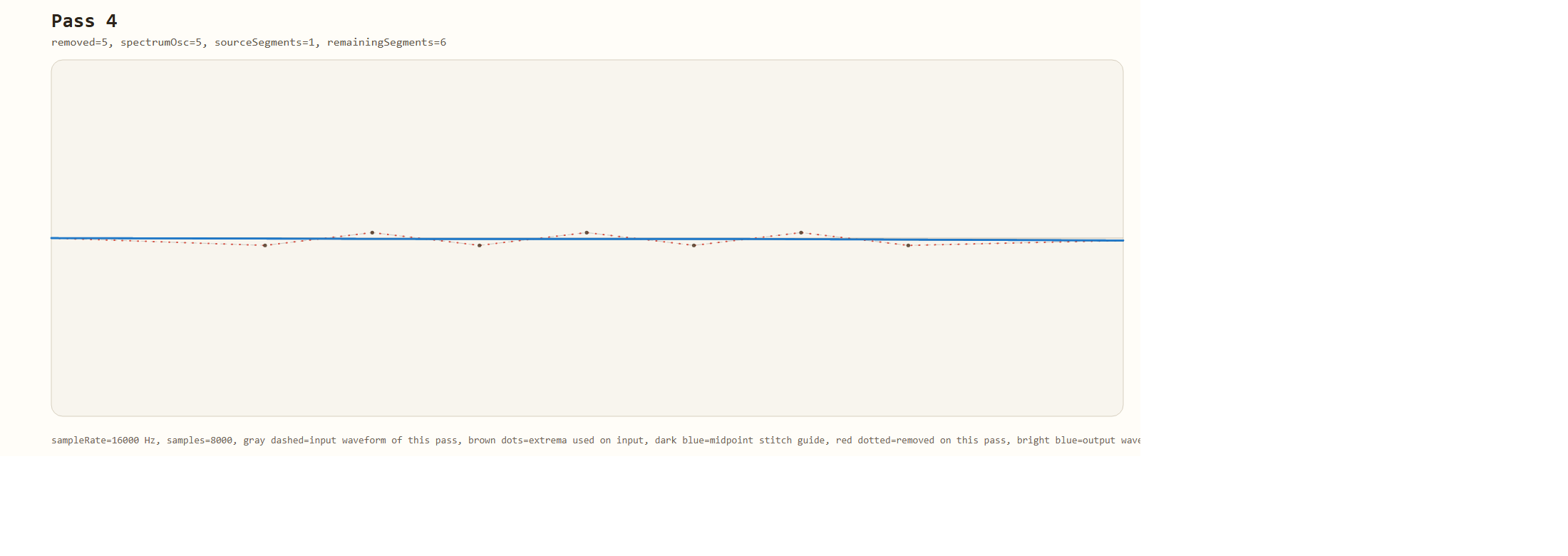
The demo app can also export step-by-step SVG frames:
dotnet run --project src/ExtremaSpectrum.Demo -- --input data/demo-low-010hz-plus-high-160hz.wav --export-step-images temp
Example frames generated from data/demo-low-010hz-plus-high-160hz.wav:
Install
dotnet add package ExtremaSpectrum
The current package targets .NET 10.
Quick start
using ExtremaSpectrum;

var analyzer = new ExtremaSpectrumAnalyzer(new ExtremaSpectrumOptions
{
    BinCount = 128,
    MinFrequencyHz = 500f,
    MaxFrequencyHz = 8000f,
    MaxPasses = 12
});

AnalysisResult result = analyzer.Analyze(samples, sampleRate);
float[] spectrum = result.Spectrum;
Streaming
var analyzer = new StreamingExtremaSpectrumAnalyzer(
    options,
    analysisWindowSamples: 2048,
    hopSamples: 512);

if (analyzer.PushPcm16(buffer, format, out var result))
{
    float[] spectrum = result!.Spectrum;
}

if (analyzer.PushDetailedPcm16(buffer, format, out var report))
{
    IReadOnlyList<ExtremaPassSnapshot> passes = report!.Passes;
}
Algorithm
The analyzer performs iterative decomposition of a discrete signal into local oscillations.
One pass
- Find all local extrema using strict neighbour comparison. Boundary points are excluded.
- Scan left to right for consecutive triples in the form
min -> max -> minormax -> min -> max. - For each accepted triple
(left, mid, right):periodSamples = right - leftL = floor(midpoint(left, mid))R = ceil(midpoint(mid, right))- when the next accepted triple reuses the same slope, its left boundary starts from the already chosen
R baseline = (signal[left] + signal[right]) / 2amplitude = abs(signal[mid] - baseline)frequencyHz = sampleRate / periodSamples
- If the oscillation passes the period and amplitude filters and maps into a valid bin, its contribution is added to the spectrum.
- Samples strictly between
LandRare removed from later passes, while the midpoint boundary samples are preserved. - The scan advances by one extremum, so adjacent accepted oscillations can share the same preserved midpoint boundary.
Multiple passes are performed until no valid triple is found or MaxPasses is reached.
Extrema detection
local max: signal[i - 1] < signal[i] && signal[i] >= signal[i + 1]
local min: signal[i - 1] > signal[i] && signal[i] <= signal[i + 1]
Flat plateaus use the first point that satisfies the comparison.
Frequency binning
binWidth = (MaxFrequencyHz - MinFrequencyHz) / BinCount
binIndex = floor((frequencyHz - MinFrequencyHz) / binWidth)
Input formats
All analysis overloads need audio samples plus a sample rate in Hz. The difference is how decoded the input already is.
| Method | What you pass | Where the sample rate comes from | Notes |
|---|---|---|---|
Analyze(ReadOnlySpan<float> samples, int sampleRate) |
Mono float samples, one float per sample, typically normalized to [-1, +1] |
sampleRate argument |
Use when audio is already decoded to mono PCM values. |
AnalyzePcm16(ReadOnlySpan<byte> buffer, AudioBufferFormat format) |
Raw signed 16-bit PCM sample bytes, little-endian | format.SampleRate |
format also defines channel count, layout, and mono downmix. buffer must contain whole sample frames, not a WAV file header. |
AnalyzeFloat32(ReadOnlySpan<byte> buffer, AudioBufferFormat format) |
Raw 32-bit IEEE float PCM sample bytes, little-endian | format.SampleRate |
Same as AnalyzePcm16, but each sample uses 4 bytes instead of 2. |
AudioBufferFormat describes how byte buffers are interpreted:
var format = new AudioBufferFormat
{
    SampleRate = 48000,
    Channels = 2,
    BitsPerSample = 16,
    Interleaved = true,
    ChannelMixMode = ChannelMixMode.AverageAllChannels
};

AnalysisResult result = analyzer.AnalyzePcm16(buffer, format);
Key AudioBufferFormat fields:
SampleRate: samples per second, for example44100or48000Channels: total channel count, for example1for mono or2for stereoBitsPerSample:16forAnalyzePcm16(...),32forAnalyzeFloat32(...)Interleaved = true: samples are laid out asL0 R0 L1 R1 ...Interleaved = false: planar layout, for example all left samples followed by all right samplesPreferredChannel: zero-based channel index used only whenChannelMixModeisPreferredChannel
AnalyzeDetailed(...) follows the same input rules as Analyze(...). The streaming analyzer uses the same PCM buffer rules for PushPcm16(...) and PushFloat32(...).
Multi-channel buffers are mixed to mono according to ChannelMixMode:
| Mode | Behavior |
|---|---|
FirstChannel |
Use channel 0 |
PreferredChannel |
Use AudioBufferFormat.PreferredChannel |
AverageAllChannels |
Arithmetic mean of all channels |
Configuration
new ExtremaSpectrumOptions
{
    BinCount = 128,
    MinFrequencyHz = 100f,
    MaxFrequencyHz = 8000f,
    MaxPasses = 16,
    MinPeriodSamples = 2,
    MaxPeriodSamples = 0,
    MinAmplitude = 0f,
    AccumulationMode = AccumulationMode.Amplitude
}
Limitations
- Not FFT. Bin values are accumulated oscillation amplitudes or energies, not DFT coefficients.
- There is no windowing, zero-padding, or spectral leakage correction.
- Frequency resolution improves with longer input buffers.
- The greedy left-to-right pass does not resolve overlap inside the same pass.
- Results depend on signal amplitude. Normalize input if absolute comparison matters.
License
MIT
| Product | Versions Compatible and additional computed target framework versions. |
|---|---|
| .NET | net10.0 is compatible. net10.0-android was computed. net10.0-browser was computed. net10.0-ios was computed. net10.0-maccatalyst was computed. net10.0-macos was computed. net10.0-tvos was computed. net10.0-windows was computed. |
-
net10.0
- No dependencies.
NuGet packages
This package is not used by any NuGet packages.
GitHub repositories
This package is not used by any popular GitHub repositories.
| Version | Downloads | Last Updated | |
|---|---|---|---|
| 1.0.0 | 113 | 4/20/2026 |